-

All artworks format friendly
Just about any format you want. Our pre-press capability is state-of-the-art, very A1 class machine and teams handle your work. We can accept all of the standard media (Zip, Jaz, CD, DVD or upload to our huge storage FTP server) and graphics software (QuarkXPress, PageMaker, Photoshop, PDF, CorelDraw). If you only a copy of book or magazine and like us to make the artworks, we also can handle, or maybe you have a book edited by MS word, we still accept.Our most preferred artworks format would be PDF and Adobe Indesign
-

Color management
Europe Prepress Defaults would be preferred. For solid color, we encourage our clients to use PMS color management for spot color.
And never forget convert all your photos from RGB or other format into CMYK before you finalize your artworks.
Do not trust the colour shown on your monitor screen too much, the data shown in your software and press proof is what you finally will get based on. -
Scanned files
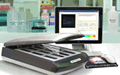
To choose a professional scanner will help you digitalize your wok without sacrificing too much quality. Normally 350 dpi would be enough for printing purpose, if you like, you may scan it in even high resolution such as 600 or 900 dpi, too high resolution is meaningless
-
Fonts and link Management
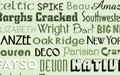
We can not ensure we have all the fonts you use while you are designing your artworks. So you either transfer all the fonts into curves or embed all the fonts with your pdf, or just copy all the special fonts into our FTP together with the artworks.
Links of photos are very common used in most layout designing software, so never forget transfer the links of photos while you transfer the major files.
-

Artworks transfer
1. Zip your artworks into volumes sized less than 20M each, then email us one by one.
2. You may upload your artworks onto a FTP address and let us download.
4. Contact us for the FTP info for you to upload your files